
VHDL testbench boilerplates
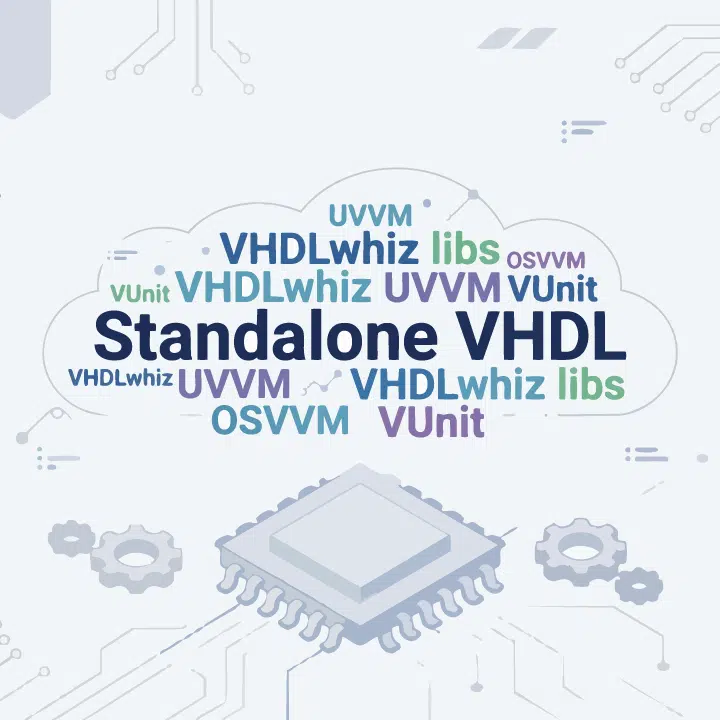
VHDL testbench boilerplates verifying the same UART receiver using plain VHDL, VUnit, UVVM, and OSVVM. Includes Questa project files and walkthrough videos.
Description
These five example projects provide a working, self-checking VHDL testbench structure that you can adapt to your own design in minutes. All testbenches verify the same UART receiver, making it easy to compare the different approaches side by side and pick the one that fits your workflow.
What’s included
Every download includes the device under test (DUT), the testbench, and all project files, packaged as a Zip file, along with a walkthrough video showing how to run the testbench in Questa.
The Run scripts are made for Questa/ModelSim, but the VHDL code should work in any VHDL simulator.
1. Standalone plain VHDL testbench
A self-contained testbench with no external dependencies. Everything is written in standard VHDL, including stimulus generation and DUT output checking. Ideal if you want a minimal starting point or don’t want to use third-party frameworks.
2. Testbench using VHDLwhiz packages
This testbench uses the text printing and UART BFM packages from VHDLwhiz for cleaner printouts and transaction-level communication with the DUT. The packages are included in the project. No separate framework installation needed.
3. VUnit-based testbench
This project includes VHDLwhiz’s customized version of the Python testbench runner script (run.py) for VUnit. This open-source testing framework handles automated compilation, test discovery, and pass/fail reporting from the command line.
4. UVVM-based testbench
The Universal VHDL Verification Methodology (UVVM) framework doesn’t have to be complicated. My walkthrough video includes step-by-step instructions for installing it locally, and the VHDL testbench uses UVVM’s logging features and UART verification virtual component (VVC).
5. OSVVM-based testbench
The Open Source VHDL Verification Methodology (OSVVM) can also be used for simple testbenches. We use only the reporting features and the UART verification component in this project. Setup instructions for project-local installation are included in the video.
This project is only available in the VHDLwhiz Membership.
The membership subscription gives you access to this and many other VHDL resources and courses.
You pay monthly to access the membership and can cancel the automatic renewal anytime. There is no lock-in period or hidden fees.
How to use them
Download the boilerplate that matches your preferred framework. Open the Questa/ModelSim project, compile, and run using the included script. Then replace the UART DUT with your own module, adapt the stimulus and checks, and delete anything you don’t need. Refer to the walkthrough videos if anything is unclear.
Project content
Here’s the list of files included in the demo projects:
standalone_tb/
├── .gitignore
├── LICENSE.txt
├── README.md
├── questa_proj
│   └── questa_project.mpf
├── run.do
├── uart.vhd
├── uart_tb.vhd
└── wave.do

vhdlwhiz_libs_tb/
├── LICENSE.txt
├── .gitignore
├── README.md
├── questa_proj
│   └── questa_project.mpf
├── run.do
├── uart.vhd
├── uart_bfm_pkg.vhd
├── uart_tb.vhd
├── vw_print_pkg.vhd
└── wave.do

vunit_tb/
├── LICENSE.txt
├── .gitignore
├── README.md
├── run.py
├── uart.vhd
├── uart_tb.vhd
└── wave.do

uvvm_tb/
├── LICENSE.txt
├── .gitignore
├── README.md
├── questa_proj
│   └── questa_project.mpf
├── run.do
├── uart.vhd
├── uart_tb.vhd
└── wave.do

osvvm_tb/
├── LICENSE.txt
├── .gitignore
├── README.md
├── questa_proj
│   └── questa_project.mpf
├── run.do
├── uart.vhd
├── uart_tb.vhd
└── wave.do
This project is only available in the VHDLwhiz Membership.
The membership subscription gives you access to this and many other VHDL resources and courses.
You pay monthly to access the membership and can cancel the automatic renewal anytime. There is no lock-in period or hidden fees.
How to get started
Join the VHDLwhiz Membership now to get the VHDL testbench projects and watch the videos explaining how to use them! You can find them under Resources/Testbench boilerplates in the membership portal after logging in.
Reviews
There are no reviews yet.